Android tablet app · Kindergarten to 5th grade
The Fridge
A learning app built around a pen. Kids do short daily lessons in math, reading and writing, then explore science, history, coding and music. Their best work goes up on the fridge for a grown-up to see.
- Works fully offline
- No accounts, no ads
- Everything can be read aloud
- California K–5 standards
- A parent app for your phone
Short lessons, a real pen, and a world to grow
Every question, button and story has a speaker icon, so a child who can't read yet can still find their way. Wrong answers get "try again" or "keep going." There's no red X and no buzzer.
It starts with a warm-up game
A new learner makes an avatar, then plays a short placement game across math, reading and writing. It finds where they are, so the first lessons are neither too easy nor too hard.
"I don't know" is always one of the answers. Picking it is fine, and it helps the app choose better than a guess would.
Today's Picks first, then free choice
Each day the home screen offers eight picks (four in kindergarten). Standards a child hasn't started yet come first, then things due for review. Picks earn double coins. Finishing them unlocks a bonus round that pays double again for skills that aren't mastered yet.
Until the picks are done, most lessons and the Shop wait. Drawing, the Calm Corner, Feelings and My World stay open. On weekends nothing waits, and a missed Saturday or Sunday never breaks a streak.
The avatar gets hungry and sleepy, a little like a Tamagotchi. Kids can feed it from their garden, take a stretch break, or do slow breathing in the Calm Corner. These reminders only appear on the home screen, never in the middle of a lesson.
A goal they can see
A Checkpoint Challenge card on the home screen shows how close each subject is to its next checkpoint: a bar filling up, the stage's skills grouped by emoji, what to do next, and the prize. Passing pays 1,000 coins, once per stage.
Tapping a skill that isn't a star yet opens practice aimed at it. Kids are told the star rule (right on the first try, 8 of the last 10 times), and each skill counts down how many more it needs, so practice that hasn't earned the star yet still shows progress.
Once a checkpoint is passed, the card shows the next stage's goal until a grown-up moves them up.
Real handwriting, on screen or on paper
Writing happens on lined paper with a stylus, or on real paper, photographed with the tablet's camera inside the app. Prompts cover free writing, opinions, facts and stories, and ones a child hasn't written yet come first.
Kids plan before they write. They say or type their idea, and the app checks it against what their grade asks for: complete sentences, enough of them, and, when typed, capitals and punctuation. Each requirement opens a short read-aloud lesson with examples. Before sending a piece, kids tick off their grade's checklist themselves. Speech recognition runs on the tablet itself.
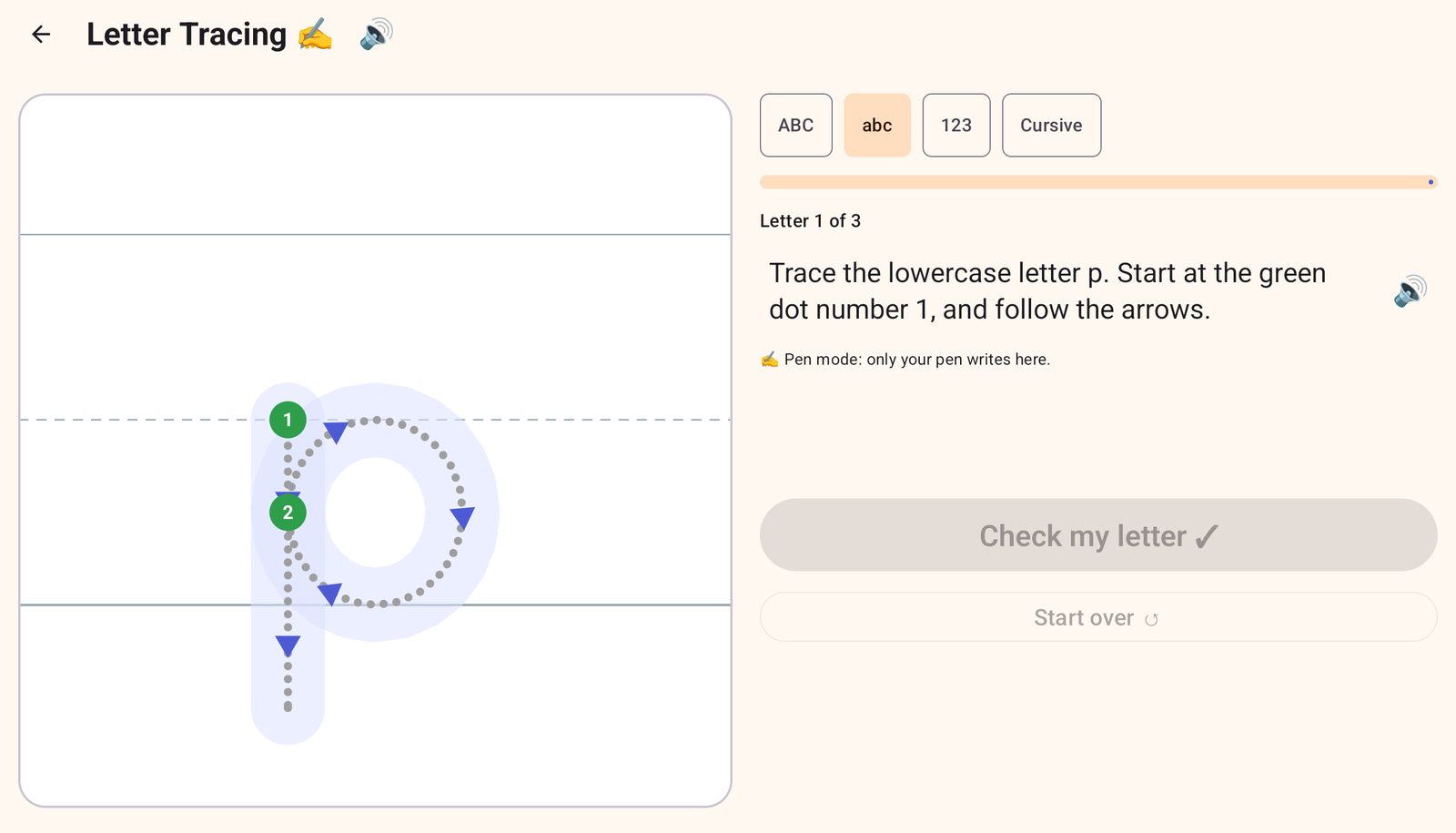
- Tracing covers capitals, lowercase, numbers and cursive, with numbered start dots and arrows.
- Palm rejection means a hand resting on the screen doesn't leave marks, and ink starts only when the pen presses down. The pen can switch colors, erase and undo.
- Typing lessons use a real keyboard and show which key comes next.
Science, history and coding
Beyond the core subjects, there's science (diagrams and "Sort it!" activities), history timelines, and coding puzzles where kids give a robot step-by-step directions or find the bug in someone else's.
There's music too, with a xylophone, drums and a game where kids play back a tune they just heard.
Stories to read together
Read-Along has stories, true facts, poems and pairs of texts to compare, sorted by grade. The tablet reads along one part at a time and highlights the part it's on, or kids can just listen. A few questions about the story come at the end.
In Read to Me, the child reads out loud and the tablet listens, then tells them how long it took and whether they beat their last time. It checks that they read the whole passage rather than marking words wrong, because speech recognition misses too much to grade a child fairly. In Listen & Learn, two hosts, June and Felix, talk through a history or science topic in about three minutes.
Room for feelings, too
In the Calm Corner, a glowing light moves slowly around a circle or a figure eight. Kids follow it with the pen, breathing in as it goes one way and out as it comes back. There's no score and no timer.
Feelings gives short everyday scenes and asks how someone might feel, so kids get practice naming emotions in others and in themselves.
Coins for careful work, not guessing
Lessons pay 2 to 10 coins, depending on how many answers were right on the first try. Tapping choices until one works is the slow way through: after a few tries the app shows the answer or walks through it, then adds another problem like it at the end. From 1st grade, most math answers are typed on a number pad.
Fact Tables build the facts kids need by heart: addition and subtraction from 1st grade, times and division from 3rd. They practice one row of the table at a time, or a mix, and the table fills in green as facts are known.
Kids spend coins on seeds, pets, a house, stickers and outfits for their avatar. The Shop charts what they earned each day this week and how many days an item would take to save up for. Most things they've bought can be sold back to the Shop, and a house is worth more the longer it's kept.
A wrong answer never costs coins. Grown-ups can see every coin earned and spent.
A world that grows
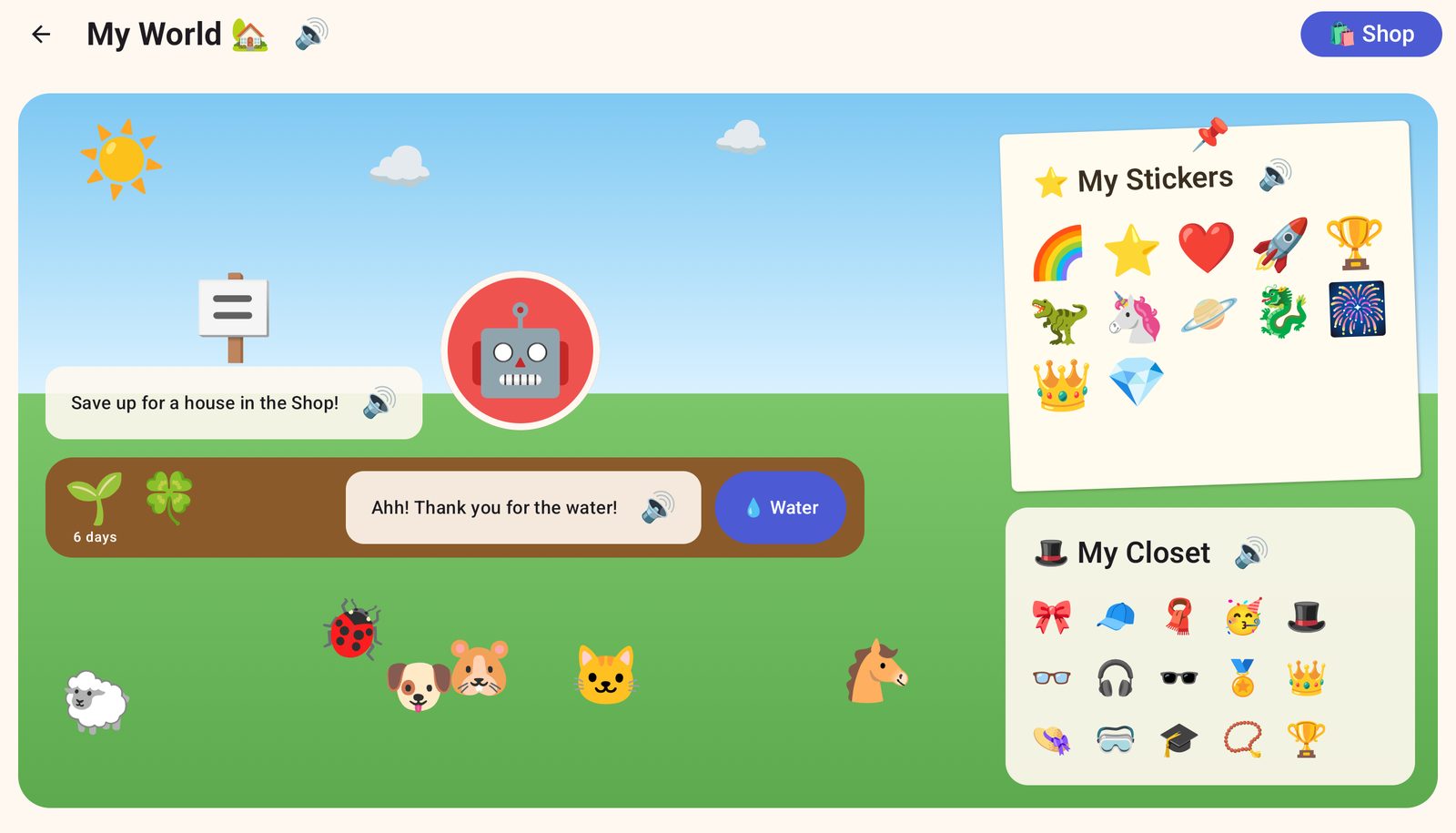
My World puts the avatar, pets, garden and house in one scene. Seeds take real days to grow, and only if someone remembers to water them. Ripe fruit and vegetables can be picked and fed to the avatar or a pet, and then they grow back.
Tapping the house goes inside. Every house has its own room, with the sticker poster and a wardrobe of outfits. Fish, ducks and frogs swim in the pond, flowers can come indoors, and pets leave the occasional mess to tap away. Nothing bad happens if it stays.
Everything on the home screen
Each tile is its own activity, and most of them adjust to the child's level.
Math
- Math Practice
- Fact Tables: + − × ÷
- Clock
- Cash Register
Reading & Writing
- Read-Along stories
- Read to Me (reading aloud)
- Word Lab
- Listen & Do
- Spelling Bee
- Sentence Fixer
- Writing
- Tracing
- Typing
Explore
- Science Lab
- History
- Listen & Learn podcasts
- Coding
- Music
Create, Feel & My Stuff
- Sketchbook
- Feelings
- Calm Corner
- Shop
- My World
- My Fridge
- My Workbook
A parent dashboard that shows what's actually happening
The parent area is behind a PIN, and it's also on your phone with Fridge Parent. Anything that changes grades, grants coins or deletes work happens there.
You set the pace
Math, reading and writing each move through stages: a grade plus a trimester. The dashboard shows how many of a stage's new skills your child has mastered. When 80% of them are mastered, it suggests a checkpoint. When you think they're ready, you move them on. The app never promotes them on its own.
Each subject moves separately. A child can be in 2nd-grade reading and 1st-grade math.
Every standard, in one list
Pick a grade and see each California standard for it: Common Core math and English, NGSS science, and history–social science. Each one shows which activities practice it and how your child is doing.
For example, 1.OA.1 is word problems within 20. The list also says which standards the app doesn't cover yet.
A report that counts real time
Active time only counts touching, writing or typing. If the tablet sits idle on a lesson, that time is left out. The report breaks time down by subject and lists every activity and every skill practiced, with an average score for each.
When you want a clearer check, start a trimester checkpoint: three questions for each new standard, no hints. Your child can review their answers before turning it in. Each standard comes back as Met, Approaching or Not yet, and the report tracks the trend. Scoring 80% or more passes, which earns your child 1,000 coins once per stage.
The fridge, without the magnets
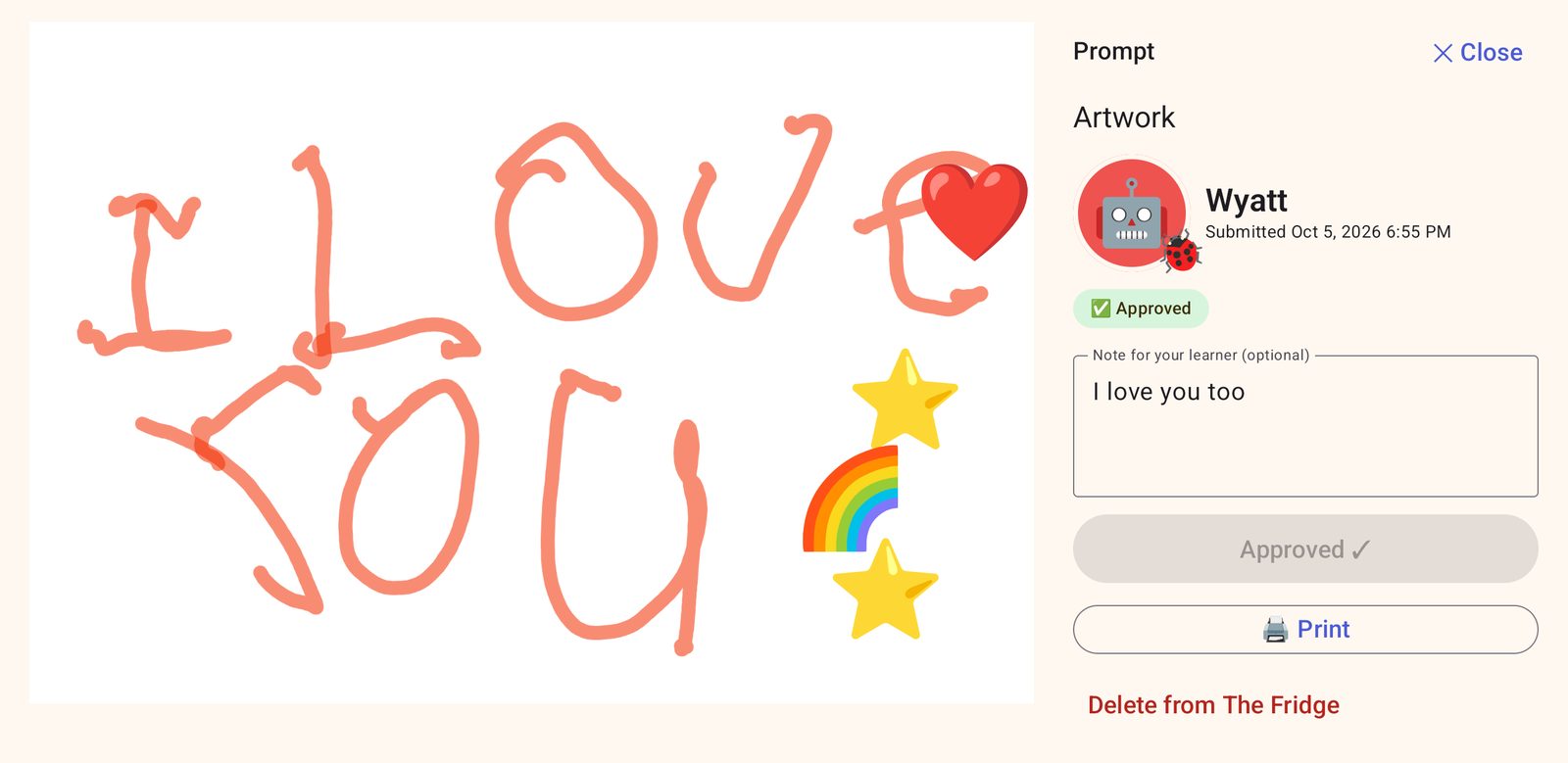
Drawings, stories, handwritten math work and photos of work done on paper arrive in your inbox. Approve a piece and it goes up on your child's fridge with a note from you and as many coins as you choose, up to 1,000. You can also print it for the real fridge.
Opinion, informative and story writing is scored by you, using that grade's rubric, and you can see whether a piece meets the grade's standard.
The parent area, on your phone
Fridge Parent is a companion app for Android phones. It shows the tablet's whole parent area, live: approve work, read the report, check standards and set stages from another room. More than one parent can connect at a time.
It works only over your home Wi-Fi, and only after you turn on "Parent phones" on the tablet. Each phone is paired once by scanning a QR code shown behind the PIN, and opens with the phone's own screen lock. The phone saves nothing, and it forgets everything a minute after you leave the app.
The PIN, learner export and the list of paired phones stay on the tablet. Removing a phone there disconnects it at once.
Paper workbooks count too
Add your child's workbooks. They log pages, minutes and up to 10 photos. You approve each log with the coins you choose, and the minutes show up in the report.
Work done away from the app
If the kind of work a pick asks for happened somewhere else, mark it done. It stops holding anything back, pays nothing, and can be undone.
Extra goal practice
A child working toward a checkpoint can keep practicing past the daily limit, for no coins. It's on by default, and you can turn it off for each child.
It stays on the tablet
The Fridge has no servers and no accounts. Your child's work, voice and progress stay on the tablet, unless you export a learner yourself or look at them on a phone you paired.
- Home Wi-Fi onlyThe app never connects to the internet. Its only network use is the link to paired parent phones, which is off until you turn it on and reaches only devices on your home network. It trusts no outside certificate authority, and both ends check each other's certificate from pairing.
- Encrypted on the deviceThe database is encrypted, with its key held by the tablet's Android Keystore. Device backups are turned off.
- Voices stay localRead-aloud uses offline voices, and speech recognition runs on the tablet. When a child reads aloud, only the score is kept, never the recording.
- No ads, no trackingNo sign-up, analytics or in-app purchases. Coins are only earned by learning.
- A PIN for grown-upsThe PIN is stored as a salted hash and locks out after repeated wrong tries.
- Take a learner with youExport one child to a passphrase-encrypted file and import them on another tablet.